• BBgmoro

        See all notifications

        Skip to content
        Moz logo Menu open Menu close
        • Products
          • Moz Pro
          • Moz Pro Home
          • Moz Local
          • Moz Local Home
          • STAT
          • Moz API
          • Moz API Home
          • Compare SEO Products
          • Moz Data
        • Free SEO Tools
          • Domain Analysis
          • Keyword Explorer
          • Link Explorer
          • Competitive Research
          • MozBar
          • More Free SEO Tools
        • Learn SEO
          • Beginner's Guide to SEO
          • SEO Learning Center
          • Moz Academy
          • MozCon
          • Webinars, Whitepapers, & Guides
        • Blog
        • Why Moz
          • Digital Marketers
          • Agency Solutions
          • Enterprise Solutions
          • Small Business Solutions
          • The Moz Story
          • New Releases
        • Log in
        • Log out
        • Products
          • Moz Pro

            Your all-in-one suite of SEO essentials.

          • Moz Local

            Raise your local SEO visibility with complete local SEO management.

          • STAT

            SERP tracking and analytics for enterprise SEO experts.

          • Moz API

            Power your SEO with our index of over 44 trillion links.

          • Compare SEO Products

            See which Moz SEO solution best meets your business needs.

          • Moz Data

            Power your SEO strategy & AI models with custom data solutions.

          Turn SEO data into actionable content briefs

          Turn SEO data into actionable content briefs

          Learn more
        • Free SEO Tools
          • Domain Analysis

            Get top competitive SEO metrics like DA, top pages and more.

          • Keyword Explorer

            Find traffic-driving keywords with our 1.25 billion+ keyword index.

          • Link Explorer

            Explore over 40 trillion links for powerful backlink data.

          • Competitive Research

            Uncover valuable insights on your organic search competitors.

          • MozBar

            See top SEO metrics for free as you browse the web.

          • More Free SEO Tools

            Explore all the free SEO tools Moz has to offer.

          Let your business shine with Listings AI

          Let your business shine with Listings AI

          Get found
        • Learn SEO
          • Beginner's Guide to SEO

            The #1 most popular introduction to SEO, trusted by millions.

          • SEO Learning Center

            Broaden your knowledge with SEO resources for all skill levels.

          • On-Demand Webinars

            Learn modern SEO best practices from industry experts.

          • How-To Guides

            Step-by-step guides to search success from the authority on SEO.

          • Moz Academy

            Upskill and get certified with on-demand courses & certifications.

          • MozCon

            Save on Early Bird tickets and join us in London or New York City

          Access 20 years of data with flexible pricing
          Moz API

          Access 20 years of data with flexible pricing

          Find your plan
        • Blog
        • Why Moz
          • Digital Marketers

            Simplify SEO tasks to save time and grow your traffic.

          • Small Business Solutions

            Uncover insights to make smarter marketing decisions in less time.

          • Agency Solutions

            Earn & keep valuable clients with unparalleled data & insights.

          • Enterprise Solutions

            Gain a competitive edge in the ever-changing world of search.

          • The Moz Story

            Moz was the first & remains the most trusted SEO company.

          • New Releases

            Get the scoop on the latest and greatest from Moz.

          Surface actionable competitive intel
          New Feature

          Surface actionable competitive intel

          Learn More
        • Log in
          • Moz Pro
          • Moz Local
          • Moz Local Dashboard
          • Moz API
          • Moz API Dashboard
          • Moz Academy
        • Avatar
          • Moz Home
          • Notifications
          • Account & Billing
          • Manage Users
          • Community Profile
          • My Q&A
          • My Videos
          • Log Out

        The Moz Q&A Forum

        • Forum
        • Questions
        • My Q&A
        • Users
        • Ask the Community

        Welcome to the Q&A Forum

        Browse the forum for helpful insights and fresh discussions about all things SEO.

        1. Home
        2. SEO Tactics
        3. Intermediate & Advanced SEO
        4. Staging website got indexed by google

        Moz Q&A is closed.

        After more than 13 years, and tens of thousands of questions, Moz Q&A closed on 12th December 2024. Whilst we’re not completely removing the content - many posts will still be possible to view - we have locked both new posts and new replies. More details here.

        Staging website got indexed by google

        Intermediate & Advanced SEO
        indexing crawling noindex
        9
        10
        2418
        Loading More Posts
        • Watching

          Notify me of new replies.
          Show question in unread.

        • Not Watching

          Do not notify me of new replies.
          Show question in unread if category is not ignored.

        • Ignoring

          Do not notify me of new replies.
          Do not show question in unread.

        • Oldest to Newest
        • Newest to Oldest
        • Most Votes
        Reply
        • Reply as question
        Locked
        This topic has been deleted. Only users with question management privileges can see it.
        • Asmi-Ta
          Asmi-Ta Subscriber last edited by

          Our staging website got indexed by google and now MOZ is showing all inbound links from staging site, how should i remove those links and make it no index.

          Note- we already added Meta NOINDEX in head tag

          hazelalia 1 Reply Last reply Reply Quote 0
          • rajubhai88789
            rajubhai88789 last edited by

            Hi Dera Moz My Domain Is 18 Years Old But Da is don't increased i don't know why can you please help me and check my url cigars please check sir

            #mozda

            1 Reply Last reply Reply Quote 0
            • Suvidit-Academy
              Suvidit-Academy last edited by

              Its good that you already put the Meta NOINDEX.

              Now, you can ask to remove the url of website from google index. Visit the google search console and request the url removal.

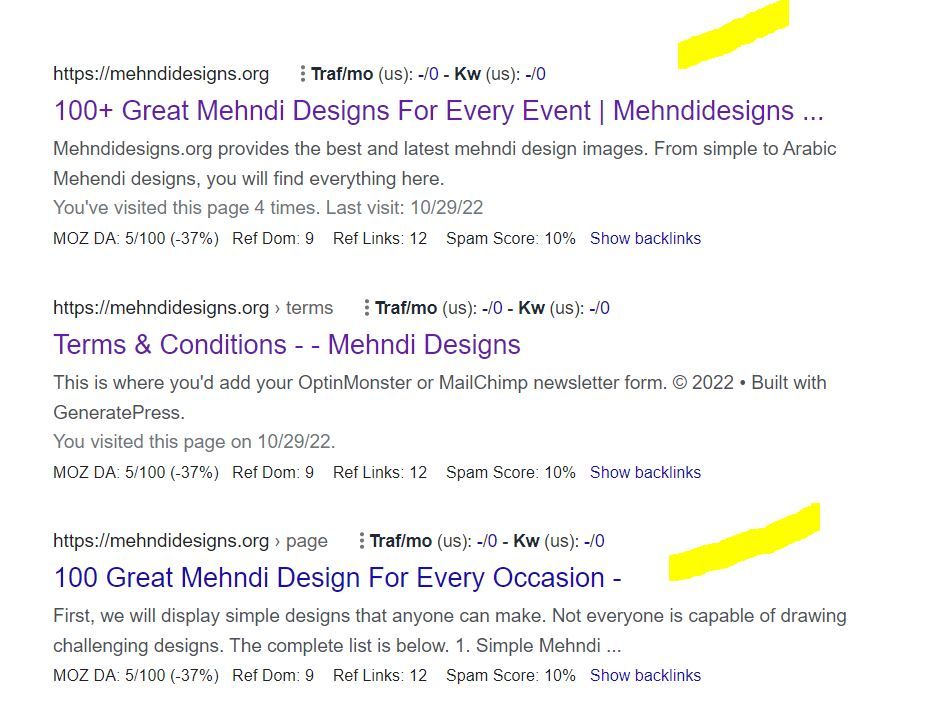
              89a4084b-0ac0-4db9-b553-d15a29ddf6f8-image.png

              You can use the URL Removal Tool in Google Search Console to request the removal of specific URLs from Google's index.

              To use the URL Removal Tool, you can:

              • Open the Removals tool.
              • Select the Temporary Removals tab.
              • Click New Request.
              • Select Next to complete the process.

              Warm Regards
              Rahul Gupta
              Suvidit Academy

              1 Reply Last reply Reply Quote 0
              • Farooqraza
                Farooqraza last edited by

                Sydney's Best Chauffeur Car Service | A1 Corporate Cars Au

                Sydney's Best Chauffeur Car Service is a premier provider of corporate chauffeured cars in Sydney, Australia. We offer top-of [url=https://a1corporatecars.com.au/]corporate cars Australia[/url] transportation solutions for business professionals, executives, and VIP clients who demand the highest service and comfort. With a fleet of luxury vehicles and experienced professional chauffeurs, we ensure a seamless and luxurious travel experience for our esteemed customers.

                1 Reply Last reply Reply Quote 0
                • hazelalia
                  hazelalia last edited by

                  If your staging website has been indexed by Google, it means that Google's web crawlers have discovered and added your staging site's pages to their search index. This is typically not desirable because staging websites are meant for testing and development purposes and often contain incomplete or confidential content.

                  To address this issue, you can take several steps. Firstly, ensure that your staging website has a "robots.txt" file configured properly. This file tells search engines which parts of your website to crawl and index. In the case of a staging site, you can disallow all web crawlers from indexing it by using a "robots.txt" file.

                  Another effective measure is to include a "noindex" meta tag in the HTML of your staging website's pages. This tag instructs search engines not to index the page, adding an extra layer of protection.

                  Consider password-protecting your staging website using HTTP authentication. This adds an additional layer of security and ensures that only authorized users can access the site.

                  To further mitigate indexing issues, you can set up your staging website on a subdomain or a subdirectory instead of a separate domain. Google is less likely to index staging content if it's located in a subdomain or subdirectory.

                  If your staging site is already indexed, you can request the removal of specific URLs from Google's index using the Google Search Console's URL Removal Tool. This is a more proactive approach to remove already indexed content.

                  Lastly, regularly monitor your staging website to ensure it remains hidden from search engines and that any changes to the robots.txt file or meta tags are being followed. It's a good practice to implement these measures before you create or launch a staging website to prevent it from being indexed in the first place.

                  Remember that it may take some time for Google to update its index and remove your staging site's pages. Be patient and continue to monitor the situation closely to ensure the desired results are achieved.

                  1 Reply Last reply Reply Quote 0
                  • zarajan
                    zarajan last edited by

                    If a staging website (a non-production or testing version) gets indexed by Google, it can lead to privacy, user experience, and SEO issues. To address this, use methods like robots.txt, "noindex" meta tags, or password protection to prevent indexing. If already indexed, request removal through Google Search Console to ensure only the production site is visible in search results.

                    1 Reply Last reply Reply Quote 0
                    • Moodesburn1991
                      Moodesburn1991 last edited by

                      If your staging website has been indexed by Google, it means that Google's search engine has discovered and included your staging site in its search results. This is not an ideal situation since staging websites are usually intended for testing and development purposes, and you may not want them publicly accessible.

                      To address this issue, you can take a few steps:

                      Use a robots.txt file: Create a robots.txt file on your staging website and instruct search engines not to index it. This file specifies which areas of your site search engines should or should not crawl.

                      Add a noindex meta tag: Insert a "noindex" meta tag in the head section of your staging website's HTML. This tag tells search engines not to index that specific page.

                      Password protect your staging website: Implement password protection on your staging environment to ensure that only authorized users can access it. This can be done through various authentication methods, depending on your setup.

                      Remember that these steps can help prevent further indexing, but they may not immediately remove your staging site from the search results. It might take some time for search engines to re-crawl your site and recognize the changes you made.

                      1 Reply Last reply Reply Quote 0
                      • talentwide
                        talentwide last edited by

                        If your staging website gets indexed by Google, you should take these steps:
                        ( Atlantic Immigration Pilot Program application form)
                        Use a robots.txt file to disallow indexing.
                        Request removal of indexed pages via Google Search Console.
                        Canada PR
                        Add a "noindex, nofollow" meta tag to staging pages.
                        Consider password protecting the staging site.
                        Ensure canonical URLs point to the production site.
                        These actions will help prevent your incomplete or sensitive staging content from appearing in Google search results.
                        Best digital marketing agency

                        1 Reply Last reply Reply Quote 0
                        • skchad13j
                          skchad13j last edited by

                          If your staging website has been indexed by Google, it means that Google's search engine has crawled and added your staging site's pages to its search index. This is typically not desired because staging websites are not meant for public access and may contain incomplete or sensitive content.

                          To address this issue, you should take the following steps:

                          Disallow indexing: Use a robots.txt file to instruct search engines not to crawl and index your staging website. You can add the following lines to your robots.txt file to disallow all search engines:

                          makefile
                          Copy code
                          User-agent: *
                          Disallow: /
                          Place this robots.txt file in the root directory of your staging website.

                          Remove indexed pages: You can request Google to remove indexed pages from its search results by using the Google Search Console's "Remove URLs" tool. Log in to your Google Search Console account, select your property, go to the "Index" section, and choose "Removals." From there, you can temporarily hide specific URLs from Google search results.

                          Use noindex meta tags: On your staging website's pages, you can add a meta tag to indicate that the page should not be indexed. Add the following meta tag within the HTML <head> section of each page you want to exclude:

                          html
                          Copy code
                          <meta name="robots" content="noindex, nofollow">
                          This tag tells search engines not to index the page or follow any links on it.

                          Password protection: Consider adding password protection to your staging website, so only authorized users can access it. This adds an additional layer of security and privacy.

                          Update canonical URLs: Ensure that your staging website's canonical URLs (if used) point to the production website, not the staging one. This helps search engines understand the preferred version of your content.

                          After taking these steps, monitor your staging website to ensure it's no longer being indexed by Google. Keep in mind that it may take some time for changes to take effect and for Google to de-index your staging content.

                          1 Reply Last reply Reply Quote 0
                          • hazelalia
                            hazelalia @Asmi-Ta last edited by

                            @Asmi-Ta said in Staging website got indexed by google:

                            Our staging website got indexed by google and now MOZ is showing all inbound links from staging site, how should i remove those links and make it no index.
                            Note- we already added Meta NOINDEX in head tag

                            To remove indexed staging site links and prevent further indexing, take these steps: Add a "Disallow" rule for the staging site in your robots.txt file, use 301 redirects for indexed staging URLs to point to production, update all internal links to production URLs, request URL removals through Google Search Console's "Fetch as Google" and URL Removal Tool, submit an updated production sitemap, and monitor Google Search Console for updates. Be patient, as it may take time for search engines to de-index staging URLs and re-crawl your site. Ensure the staging site has a "noindex" tag in its <head> section.

                            1 Reply Last reply Reply Quote 0
                            • 1 / 1
                            • First post
                              Last post

                            Browse Questions

                            Explore more categories

                            • Moz Tools

                              Chat with the community about the Moz tools.

                            • SEO Tactics

                              Discuss the SEO process with fellow marketers

                            • Community

                              Discuss industry events, jobs, and news!

                            • Digital Marketing

                              Chat about tactics outside of SEO

                            • Research & Trends

                              Dive into research and trends in the search industry.

                            • Support

                              Connect on product support and feature requests.

                            • See all categories

                            Related Questions

                            • Aman0022

                              Website is not getting indexed

                              indexing crawling

                              Hi,
                              Hope you all are doing great!
                              I have created a dog blog a few weeks back which talks about all things about dogs (http://pawspulse.com/). I am publishing couple of articles everyday which are more than 5k words long with proper keyword research but still Google is not indexing my content. My content is systematically categorized in proper categories related to dog guides, nutrition, accessories, dog breeds etc.
                              Can anyone help me how to get the website index faster fully. Any help will be much appreciated. Thanks

                              Content Development | | Aman0022
                              0
                            • amanda5964

                              Should I "no-index" two exact pages on Google results?

                              noindex google search engine results seo expert

                              Hello everyone, I recently started a new wordpress website and created a static homepage. I noticed that on Google search results, there are two different URLs landing on same content page. I've attached an image to explain what I saw. Should I "no-index" the page url? Google url.JPG In this picture, the first result is the homepage and I try to rank for that page. The last result is landing on same content with different URL. So, should I no-index last result as shown in image?

                              Technical SEO | | amanda5964
                              0
                            • Ibis15

                              Google indexed "Lorem Ipsum" content on an unfinished website

                              Hi guys. So I recently created a new WordPress site and started developing the homepage. I completely forgot to disallow robots to prevent Google from indexing it and the homepage of my site got quickly indexed with all the Lorem ipsum and some plagiarized content from sites of my competitors. What do I do now? I’m afraid that this might spoil my SEO strategy and devalue my site in the eyes of Google from the very beginning. Should I ask Google to remove the homepage using the removal tool in Google Webmaster Tools and ask it to recrawl the page after adding the unique content? Thank you so much for your replies.

                              Intermediate & Advanced SEO | | Ibis15
                              0
                            • vivekrathore

                              "Null" appearing as top keyword in "Content Keywords" under Google index in Google Search Console

                              Hi, "Null" is appearing as top keyword in Google search console > Google Index > Content Keywords for our site http://goo.gl/cKaQ4K . We do not use "null" as keyword on site. We are not able to find why Google is treating "null" as a keyword for our site. Is anyone facing such issue. Thanks & Regards

                              Intermediate & Advanced SEO | | vivekrathore
                              0
                            • CupidTeam

                              My website (non-adult) is not appearing in Google search results when i have safe search settings on. How can i fix this?

                              Hi, I have this issue where my website does not appear in Google search results when i have the safe search settings on. If i turn the safe search settings off, my site appears no problem. I'm guessing Google is categorizing my website as adult, which it definitely is not. Has anyone had this issue before? Or does anyone know how to resolve this issue? Any help would be much appreciated. Thanks

                              Intermediate & Advanced SEO | | CupidTeam
                              0
                            • bjs2010

                              How to find all indexed pages in Google?

                              Hi, We have an ecommerce site with around 4000 real pages. But our index count is at 47,000 pages in Google Webmaster Tools. How can I get a list of all pages indexed of our domain? trying to locate the duplicate content. Doing a "site:www.mydomain.com" only returns up to 676 results... Any ideas? Thanks, Ben

                              Intermediate & Advanced SEO | | bjs2010
                              0
                            • webestate

                              Yoast SEO Plugin: To Index or Not to index Categories?

                              Taking a poll out there......In most cases would you want to index or NOT index your category pages using the Yoast SEO plugin?

                              Intermediate & Advanced SEO | | webestate
                              0
                            • nicole.healthline

                              Is 404'ing a page enough to remove it from Google's index?

                              We set some pages to 404 status about 7 months ago, but they are still showing in Google's index (as 404's). Is there anything else I need to do to remove these?

                              Intermediate & Advanced SEO | | nicole.healthline
                              0

                            Get started with Moz Pro!

                            Unlock the power of advanced SEO tools and data-driven insights.

                            Start my free trial
                            Products
                            • Moz Pro
                            • Moz Local
                            • Moz API
                            • Moz Data
                            • STAT
                            • Product Updates
                            Moz Solutions
                            • SMB Solutions
                            • Agency Solutions
                            • Enterprise Solutions
                            • Digital Marketers
                            Free SEO Tools
                            • Domain Authority Checker
                            • Link Explorer
                            • Keyword Explorer
                            • Competitive Research
                            • Brand Authority Checker
                            • Local Citation Checker
                            • MozBar Extension
                            • MozCast
                            Resources
                            • Blog
                            • SEO Learning Center
                            • Help Hub
                            • Beginner's Guide to SEO
                            • How-to Guides
                            • Moz Academy
                            • API Docs
                            About Moz
                            • About
                            • Team
                            • Careers
                            • Contact
                            Why Moz
                            • Case Studies
                            • Testimonials
                            Get Involved
                            • Become an Affiliate
                            • MozCon
                            • Webinars
                            • Practical Marketer Series
                            • MozPod
                            Connect with us

                            Contact the Help team

                            Join our newsletter
                            Moz logo
                            © 2021 - 2026 SEOMoz, Inc., a Ziff Davis company. All rights reserved. Moz is a registered trademark of SEOMoz, Inc.
                            • Accessibility
                            • Terms of Use
                            • Privacy

                            Looks like your connection to Moz was lost, please wait while we try to reconnect.