Moz Q&A is closed.
After more than 13 years, and tens of thousands of questions, Moz Q&A closed on 12th December 2024. Whilst we’re not completely removing the content - many posts will still be possible to view - we have locked both new posts and new replies. More details here.
Unsolved The Moz.com bot is overloading my server
-
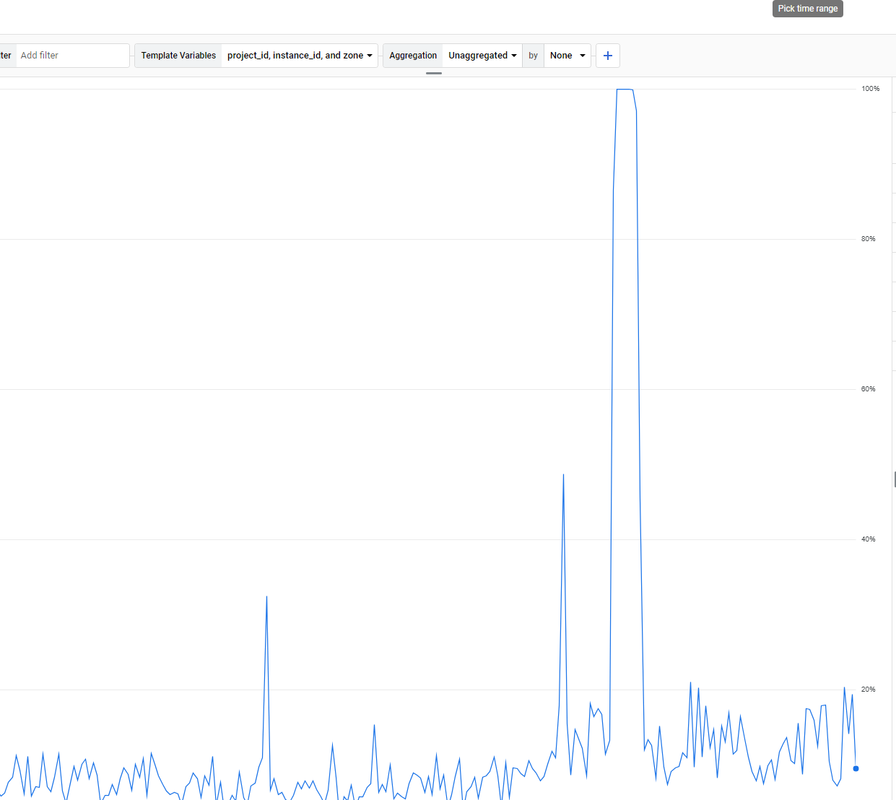
. How to solve it? -
For a step-by-step guide on setting up the tool, check out the solara executor download tutorial.
-
maybe crawl delay will help.
-
@paulavervo
Hi,
We do! The best way to chat with us is via our contact form or direct email. We also have chat within Moz Pro.
Please contact us via [email protected] or https://a-moz.groupbuyseo.org/help/contact
We will be happy to help.
Cheers,
Kerry. -
very nice brother i like it very good keep it up !
-
very nice !
-
does the moz team even monitor this forum?
-
If the Moz.com bot is overloading your server, there are several steps you can take to manage and mitigate the issue effectively. First, you can adjust the crawl rate in your
robots.txtfile by specifying a crawl delay for the Moz bot using directives likeUser-agent: rogerbotandUser-agent: dotbot, followed byCrawl-delay: 10to make the bot wait 10 seconds between requests. If this does not suffice, you can temporarily block the bot by disallowing it in yourrobots.txtfile. Additionally, it's a good idea to contact Moz’s support team to explain the issue, as they may offer solutions to adjust the crawl rate for your site. Implementing server-side rate limiting is another effective strategy. For Apache servers, you can add rules in your.htaccessfile to return a 429 Too Many Requests status code to the Moz bots, while for Nginx servers, you can set up rate limiting in your configuration file to control the number of requests per second from a single user or IP address. Monitoring your server’s performance and log files can help identify specific patterns or peak times, allowing you to fine-tune your settings. Furthermore, using a Content Delivery Network (CDN) can help distribute the load by caching content and serving it from multiple locations, reducing the direct impact on your server caused by crawlers. By taking these steps, you can manage the load from the Moz.com bot and maintain your server’s stability and responsiveness.
Browse Questions
Explore more categories
-
Moz Tools
Chat with the community about the Moz tools.
-
SEO Tactics
Discuss the SEO process with fellow marketers
-
Community
Discuss industry events, jobs, and news!
-
Digital Marketing
Chat about tactics outside of SEO
-
Research & Trends
Dive into research and trends in the search industry.
-
Support
Connect on product support and feature requests.
Related Questions
-
Rogerbot directives in robots.txt
I feel like I spend a lot of time setting false positives in my reports to ignore. Can I prevent Rogerbot from crawling pages I don't care about with robots.txt directives? For example., I have some page types with meta noindex and it reports these to me. Theoretically, I can block Rogerbot from these with a robots,txt directive and not have to deal with false positives.
Reporting & Analytics | | awilliams_kingston0 -
Unsolved Need Moz SEO Wordpress Plugin With API
Re: Moz WordPress Plugin? Hi guys,
Moz Pro | | mrezair
I need some Moz SEO Wordpress Plugins For my website working with Moz API. I've already found Moz DA-PA Checker plugin Moz DA-PA Checker But Need SEO Plugins too. Any Suggestion will be appreciated.0 -
Moz crawler is not able to crawl my website
Hi, i need help regarding Moz Can't Crawl Your Site i also share screenshot that Moz was unable to crawl your site on Mar 26, 2022. Our crawler was not able to access the robots.txt file on your site. This often occurs because of a server error from the robots.txt. Although this may have been caused by a temporary outage, we recommend making sure your robots.txt file is accessible and that your network and server are working correctly. Typically errors like this should be investigated and fixed by the site webmaster.
Technical SEO | | JasonTorney
my robts.txt also ok i checked it
Here is my website https://whiskcreative.com.au
just check it please as soon as possibe0 -
What's the best way to search keywords for Youtube using Moz Keyword explorer?
I want to optimize my youtube channel using identified keywords, but I'm concerned that the keywords I'm identifying work well for SERP's but might not be how people search in Youtube. How do a distinguish my keywords to be targeted for Youtube?
Moz Pro | | Dustless0 -
Robots.txt blocking Moz
Moz are reporting the robots.txt file is blocking them from crawling one of our websites. But as far as we can see this file is exactly the same as the robots.txt files on other websites that Moz is crawling without problems. We have never come up against this before, even with this site. Our stats show Rogerbot attempting to crawl our site, but it receives a 404 error. Can anyone enlighten us to the problem please? http://www.wychwoodflooring.com -Christina
Moz Pro | | ChristinaRadisic0 -
Why is MOZ and Google search Volume so different?
A search term in MOZ shows the monthly search volume to be 49K. In Google, the same term shows the search volume at only 1300 monthly searches. Which do I trust? Thanks, Don
Moz Pro | | rcman0 -
White Label Version of Moz Pro?
I may have missed it, but is there a white label option for Moz Pro? I have a few clients that would like to login and have a look at competition, rankings, etc. Perhaps something like WebCEO or MySEOtool?
Moz Pro | | TysonDowns0 -
Moz is officially demigod-approved!
So, I was reading Percy Jackson & the Olympians: The Battle of the Labyrinth tonight, and found a description of a graffiti tag in the Labyrinth that says "MOZ RULZ". What do you think? Is one of the Mozzers a demigod who has explored and survived the Labyrinth? 🙂 (See attachment for book quote.) F1WmT5r
Moz Pro | | AdamThompson4